Create Many-to-One Relationships with a Foreign Key
Use a Foreign Key for a One-to-Many Relationship
All of our work so far has been working with one model at a time. We create Band objects, and we create Listing objects, but we only work with one of them at a time. It’s time to bring them together!
Think about the real-world entities that our models represent. For example, the different merchandise listings we have - posters, clothing, and so on - are each related to a band. A user might arrive at the site and be interested in looking for merch listings for a specific band that they are interested in. It would be great if we could allow the user to view a page of listings for just that band.
In order to do that, we need to create a relationship between the Band model and the Listing model.
One of the most common relationships between two models is the “one-to-many.”
For example, we could say that “a Band can have many related Listings , but each Listing can have only one related Band .”
So, we could have a t-shirt, poster, and gig ticket all originating from the band “De La Soul.” The band is related to three listings, but each of those is related to one band. A listing can’t be related to both “De La Soul” and “Foo Fighters” at the same time.
Let’s see how to create a “one-to-many” relationship between the Band and Listing models.
Let’s look at some data from our two database tables (some fields/columns have been omitted).
Band
id | name |
1 | De La Soul |
2 | Foo Fighters |
3 | Cut Copy |
Listing
id | title |
1 | Cut Copy t-shirt |
2 | De La Soul tour poster |
3 | Foo Fighters single poster |
If each of our listings, in a sense, “belongs” to one of the bands, then we can add a column to the listings table and mark which of the bands this listing belongs to - or rather, we mark the id of the band it belongs to, like this:
Listing
id | title | band_id |
1 | Cut Copy t-shirt | 3 |
2 | De La Soul tour poster | 1 |
3 | Foo Fighters single poster | 2 |
This new column we’ve added, band_id , is known as a foreign key because it contains the id - or the “key” - from another table.
This suggests that we need to add a new field to the Listing model to act as a link to the Band model, and there is a special type of field for that called ForeignKey .
Let’s add a foreign key to the Listing model now.
class Listing(models.Model):

   ...
   band = models.ForeignKey(Band, null=True, on_delete=models.SET_NULL)
We name the field as band . That means we can get the band for any listing by calling listing.band , which will be really handy later.
We also pass three arguments to ForeignKey :
The model we want to relate to:
Band.null=True- because we want to allow listings to be created even if they’re not directly related to a band.on_delete=models.SET_NULL- this is where we decide on a strategy to follow whenBandobjects get deleted. There are multiple options for this, such as:Set the
bandfield to null usingmodels.SET_NULL.Set the
bandfield to the default value usingmodels.SET_DEFAULT.Delete the
Listingobject usingmodels.CASCADE.Other more complex settings which you can find described in the Django documentation.
We don’t want to delete the Listing object if a Band gets deleted, so we will use SET_NULL .
Next, we need to ensure our model changes are reflected in the database. So let’s generate a migration with python manage.py makemigrations and then run that migration with python manage.py migrate .
Manipulate Foreign Keys in the Django Admin
Start up the development server and take a look at the Create view for the Listing object.
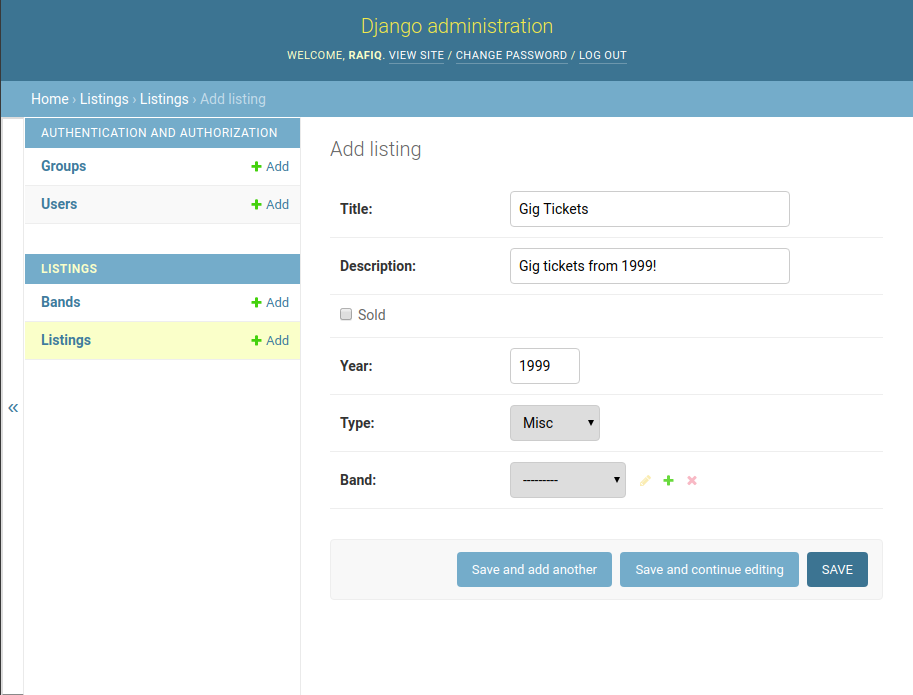
We now have a drop-down list from which we can choose a band to relate this listing to. The value in the drop-down list is given by the string representation of the Band object.
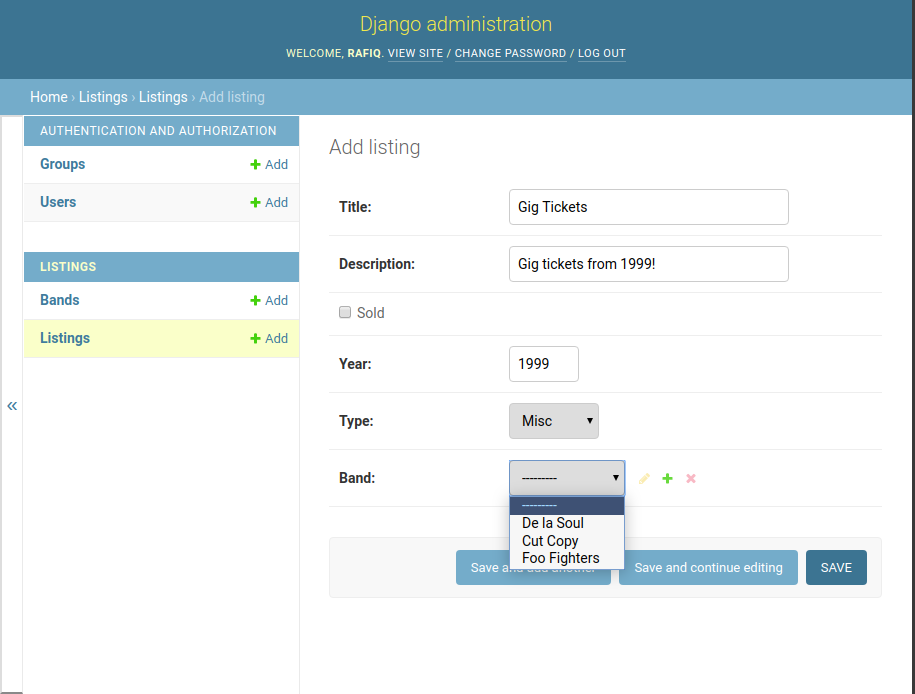
Let’s set the band field for this listing to De La Soul . Then let’s look at it in the list view.
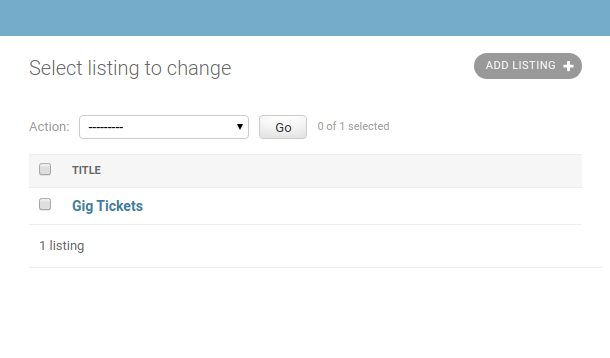
Is it possible to see the linked bands for each of these listings?
Let’s do that by adding the band field to the ListingAdmin in admin.py.
class ListingAdmin(admin.ModelAdmin):
list_display = ('title', 'band')  # add 'band' here
Let’s look at it again.
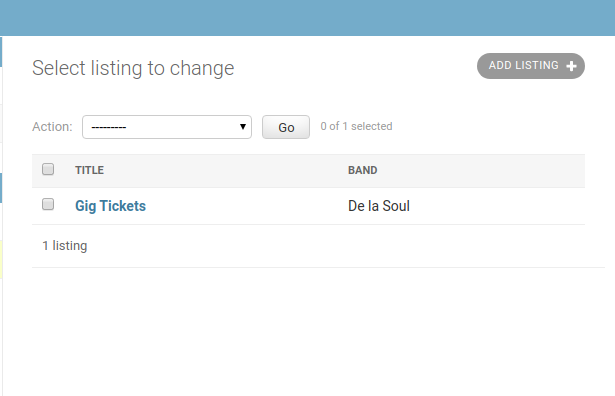
Nice! What we see in the Band column is dictated by the string representation of the Band object, which we configured earlier with the __str__ method.
Next, refresh these skills by following the steps in the screencast.
Let’s Recap!
You can create one-to-many relationships using the
ForeignKeyfield.You control the strategy for what happens when a linked model is deleted using the
on_deleteargument.One-to-many relationships can be managed in the Django admin.
Now that you can link different models using foreign keys, it’s time to look at how to rollback and merge migrations.