Get Windows 11

In this first chapter, you will learn how to choose the Windows 11 edition that best fits your needs. Whether you are an individual user, a professional, or a company, selecting the right version for your use case is essential.
You will then learn how to download Windows 11 by following the official steps to avoid mistakes. Finally, we will cover how to obtain the necessary licenses so you can activate the operating system legally and effectively.
Choose the Edition That Fits Your Needs
Windows 11 comes in several editions, each designed for a specific type of user, whether for personal, professional, educational, or industrial use.
Here is a summary table of a few editions and their main characteristics:
Edition | Audience / Use | Key Features / Characteristics |
Windows 11 Home | Personal use (standard user) | Provides the essential features for everyday use. It is not suitable for professional environments because it lacks advanced management and security tools. |
Windows 11 Pro | Small to midsize businesses | Supports domain join, Group Policy management, BitLocker encryption, Remote Desktop access, integration with Microsoft Intune and Windows Package Manager, and additional security tools. |
Windows 11 Enterprise | Organizations that require advanced security and management | Includes all Pro features, plus Microsoft Defender for Endpoint, Enterprise State Roaming, and Windows Update for Business. It also offers an LTSC edition for long-term support without forced feature updates. |
Windows 11 Education | Schools and universities | Designed for a secure learning environment and optimized for educational needs. |
Windows 11 for Workstations | Professionals using high-end workstations | Optimized for intensive tasks such as data processing, 3D modeling, and advanced video editing. |
Windows 11 IoT | Embedded systems and industrial devices | Built specifically for IoT and industrial applications, meeting the requirements of embedded systems. |
The most commonly used editions are Windows 11 Home, Pro, and Enterprise, but as you can see, each edition addresses specific needs and provides an optimized experience depending on the environment. It is therefore essential to take your users' needs into account.
Now let's see how to get the main Windows 11 editions.
Download the Windows 11 ISO Disk Image
An ISO file is a disk image that contains all of the data and structure from a physical medium such as a DVD or CD. It is often used to distribute operating systems such as Windows or Linux and lets you create bootable media for a clean installation.
The ISO file can be used directly in the optical drive of a virtual machine or on bootable media such as a DVD or USB drive.
For the Home and Pro editions, Microsoft provides a multi-edition ISO download: Download Windows 11
On the site's download page, select Windows 11 (multi-edition ISO for x64 devices), then choose the product language.
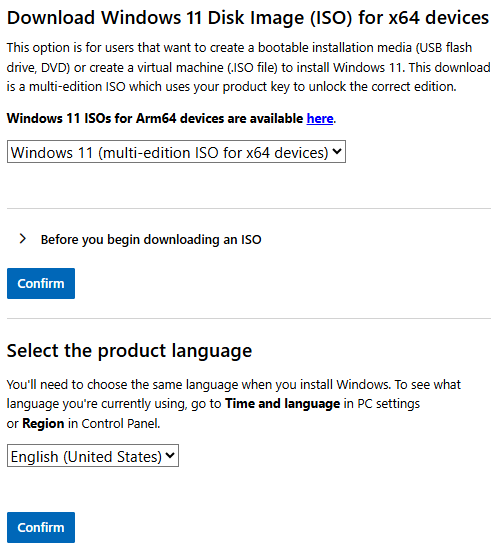
Click the button to start downloading the ISO.
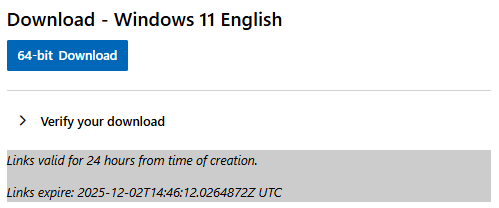
When you start the Windows 11 installation, you will be able to choose which edition you want to install.
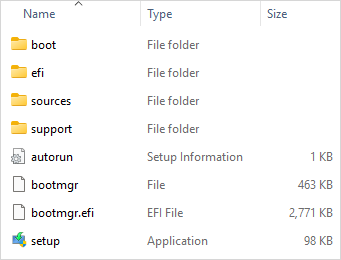
Here is what an ISO file contains:
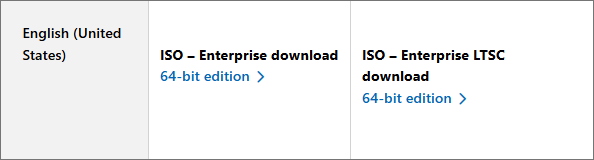
For the Enterprise version, the Evaluation Center only provides the ISO disk image download, which includes everything you need to install Windows 11: Download Windows 11 Enterprise Evaluation.
Keep these ISO files, as you can reuse them as often as you want. In the next chapter, we will see how to use them in a virtual machine. You now know how to obtain Windows 11 officially. Next, let's see how to get a license for it.
Get Your Licenses
To ensure a stable, secure, and fully functional system, activating a Windows license gives you access to security updates, official features, and technical support.
Individual Windows Home and Pro licenses can be obtained through the Microsoft Store or from resellers.
You can also buy them directly from Microsoft as a digital license or on an official USB drive with the installation media ready to use: Download Windows 11 Home and Pro
For Windows Enterprise, Microsoft does not sell licenses directly. They can be obtained through online resellers or are included with some Microsoft 365 subscriptions. You can review the available options here: Windows 11 Enterprise | Microsoft 365.
Windows licenses mainly come in three types, each with its own characteristics and use cases:
OEM (Original Equipment Manufacturer): a license preinstalled by a manufacturer (Dell, HP, Lenovo...) and tied to the hardware. If a major component such as the motherboard is replaced, a new license may be required. Technical support is provided by the manufacturer.
Retail: a more expensive license purchased separately from the hardware. It is valid for life, transferable from one computer to another, and gives users access to Microsoft's technical support.
Volume: a single license type that can be used across multiple devices for mass activation (pricing depends on subscription terms or custom quotes).
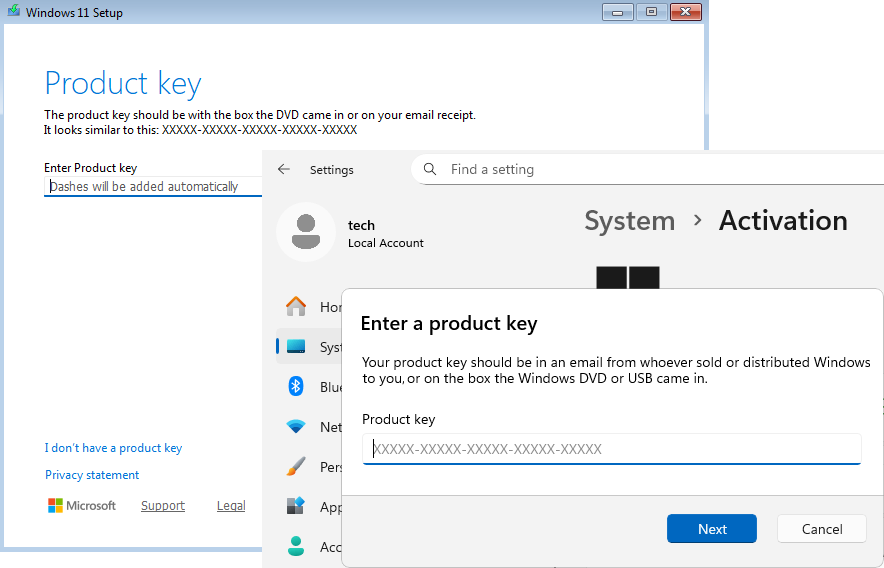
Once you have your license key, you can enter it during a new Windows installation or later in the system settings under Activation.
This first chapter helped you understand the differences between the editions. You also now know where to find Windows 11 and the appropriate licenses. All that is left is to install it, which is exactly what we will do in the next chapter!
Over to You!

You are starting an internship in the IT department of a major car manufacturer. Your manager, Alex Silva, wants to migrate the company's computers to the Windows 11 edition that offers the highest level of security. Before buying licenses, she wants to test the system without limitations to make sure it meets her needs.
Mission
Your manager asks you to select the most appropriate Windows 11 edition for her needs. On the official Microsoft website, download the ISO file for the edition you think is the best fit.
Once you are done, use this answer key to check your work.
Let's Recap!
There are several different editions of Windows 11.
Windows 11 Multi-Edition and Windows 11 Enterprise Evaluation can be downloaded from the official Microsoft website.
Windows 11 is available as an ISO image that can be used in a virtual machine or to create bootable installation media.
There are three types of Windows licenses, available through the Microsoft Store, directly from Microsoft, or from third-party resellers.
A license key can be entered during Windows installation or later through Windows 11 settings.
