Test the Site Using the Test Plan

Prepare Your Environment
Before diving into the test plan and running your first tests, you need to prepare your test environment.
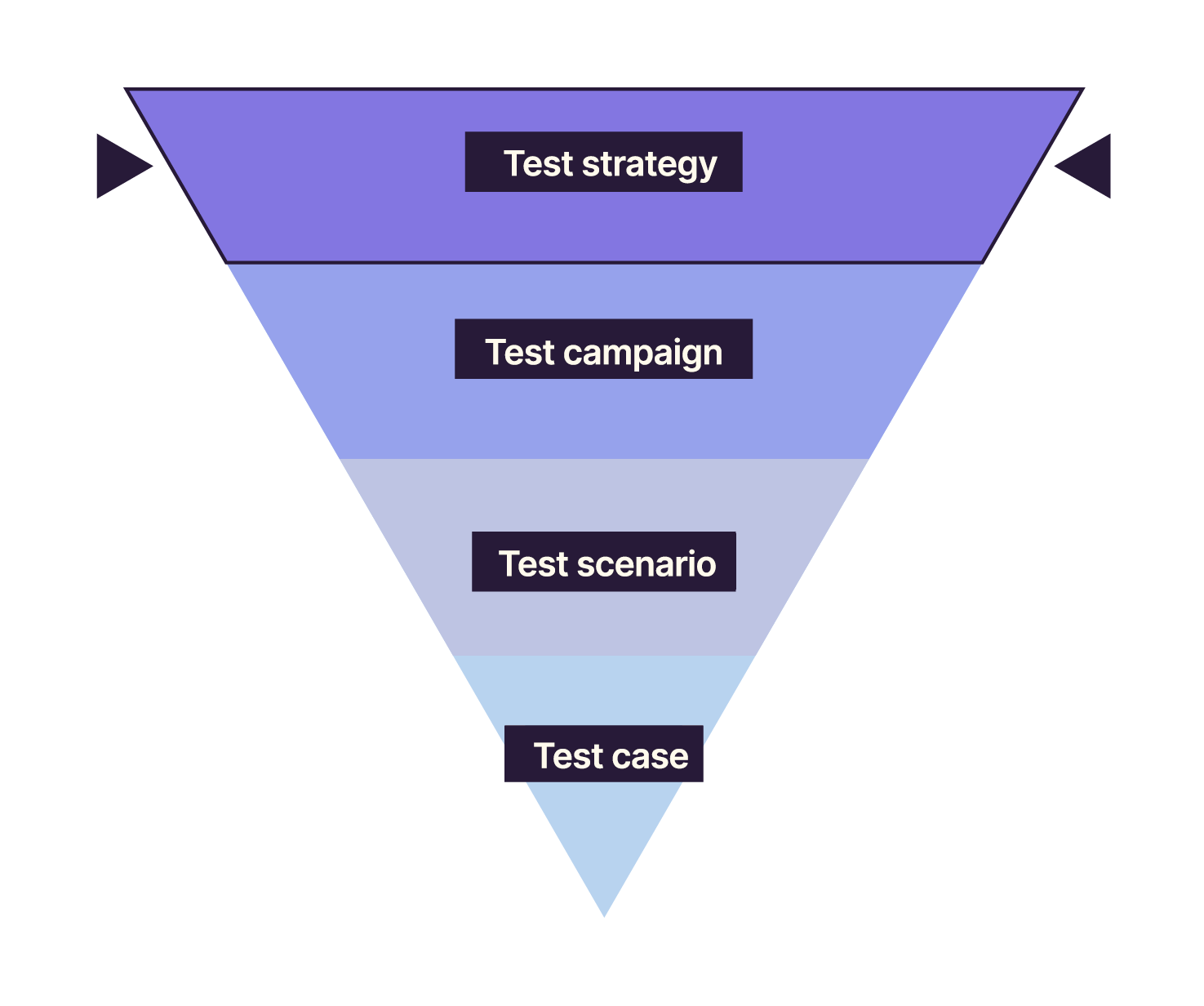
You’ll rely on the test strategy to define the resources needed to execute your tests.
Test strategy?
Yes, remember, it’s the top level of our pyramid. It’s the step that coordinates all your testing processes.
Here’s the diagram again to help you memorize it:
Here are the resources to check to ensure the system is ready for testing:
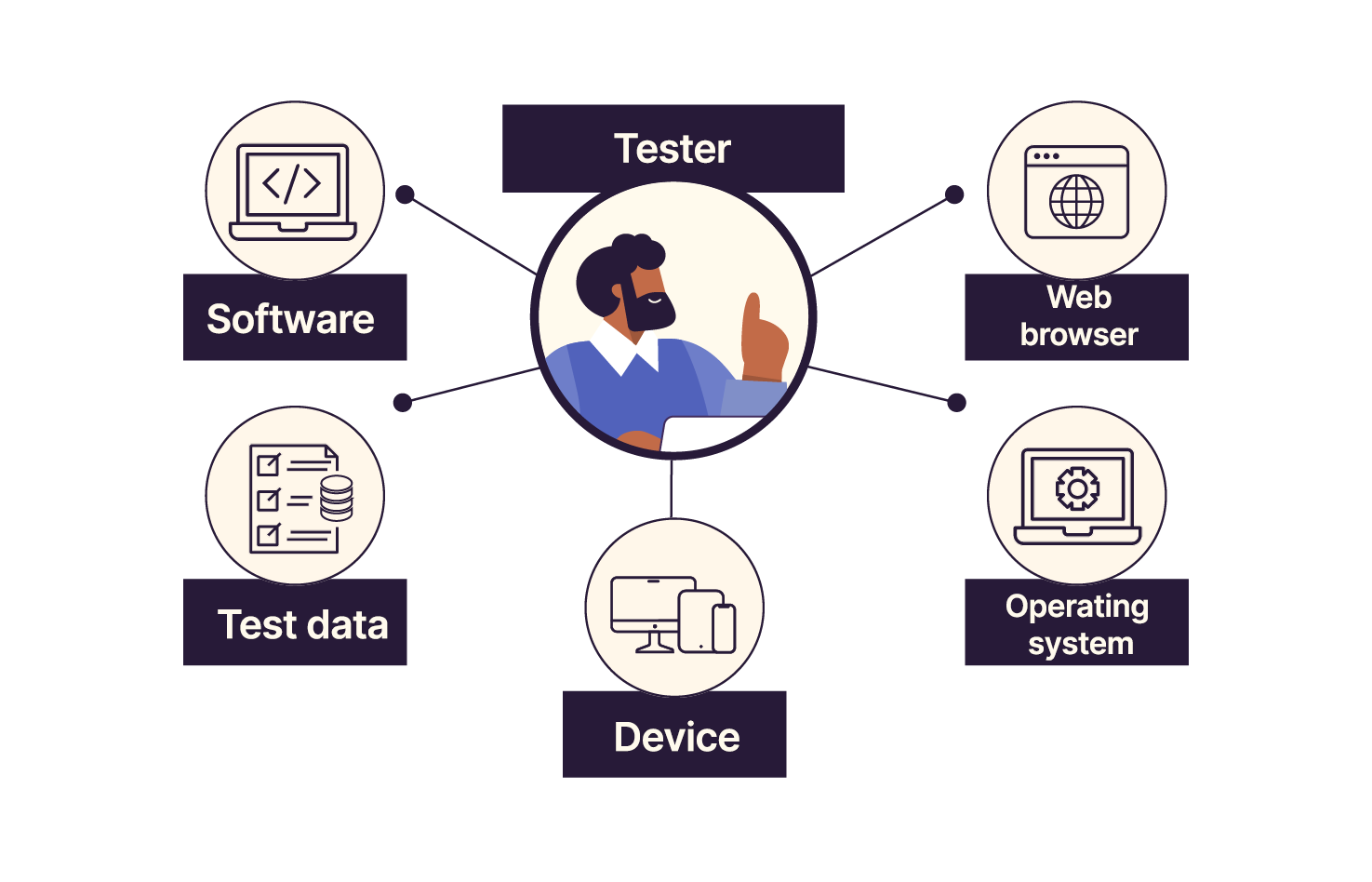
Make sure you have access to the software being tested.
Check which web browsers the software must support.
Check which operating systems (Windows, Linux, macOS) it must run on.
Check on which devices the website must be usable (smartphones, tablets, PCs, Macs, etc.).
Make sure you have test data. A test run must be repeatable under the same conditions (to confirm identical results) or under different conditions (to analyze the delta between two runs).
In many systems, the acceptance environment is a dedicated space for testing. It’s not the production environment.
This allows you to repeat tests as often as needed without “polluting” production with fake data or creating misleading statistics.
You must therefore have data available in this environment and a way to reset it so you can replay tests under the same conditions.
Returning to the Tech&Buy e-commerce example: The user logs in for the first time to make a purchase. The test case checks whether account creation works. To replay this test, you must reset the account to its initial state—one where the user has never created an account.
In short, make sure you have all prerequisites before running any tests.
Execute the Test Plan
You’ve reviewed the test plan.
You’ve prepared your test environment.
Now you’re ready to execute the test plan by following these steps:
Run the test cases in the order provided: follow the steps exactly as written to ensure correct execution and accurate expected results.
Pay close attention to details: for example, if you must enter a date, check that it is entered correctly and in the proper format.
Repeat tests: this ensures failures are real and not caused by an error during the first run.
Record the results: document what happens at each step so you can report findings clearly.
Update the test plan: if errors arise, document them so future testers can take them into account.
Analyze anomalies: when you find a defect, stop executing the test plan, analyze the issue, report it, then return to execution once the analysis is complete.
These are the general steps for executing a test plan for a website. It’s important to follow each step carefully and document results thoroughly to ensure test quality and support issue resolution.
Report Test Results
As you execute the test plan, you will verify that each step’s actual result matches the expected result.
If it does, the test passes. Record it as “OK”, “PASS”, or any validation indicator used by your testing tool.
If the actual result does not match the expected one, the test fails and the anomaly must be reported. Mark it as “KO”, “FAIL”, or the equivalent. Then analyze the anomaly and log it in your tracking tool (e.g., Jira).
The updated test plan is useful for gathering statistics on executed, passed, failed, or non-executable test cases.
It also provides traceability during a test campaign.
You can use it to identify regression tests.
The test plan plays a key role in removing ambiguity throughout the test phase—from execution to expected results.
Sometimes the testing team belongs to another company. In that case, the test plan serves as a deliverable documenting executed tests and their results. It helps standardize and structure the project and acts as a communication tool between provider(s) and client(s).
Over to You!

Time for hands-on practice! Run the first three test cases from the Jardin Actuel test plan: “Sort,” “Register,” and “Comment.” 🙂
Record your results in the “Result” column.
Record your results (Pass/Fail) in the “Result” column.
Download the test plan in either format:
Summary
Preparing the test environment is just as important as executing the tests.
A dedicated environment and data set are recommended to avoid affecting production.
Test execution must be rigorous. Follow each step in the given order.
If a test fails, the failure must be reproducible.
The test plan is a key test-tracking tool. Document every anomaly as soon as you find it.
Now that you’ve learned how to run tests from a test plan and understand its purpose, let’s explore another type of testing: exploratory testing.
