Run a Clean CRM: From Setup to Pipeline Reporting

Discover Why a Clean CRM is Your Weekly Forecast's Foundation
"Last Friday I sent the executive team a pipeline forecast that was off by €120k. Not because the deals weren't there — but because the data lied. Owners were missing, two contacts were duplicates, and a deal had sat in Negotiation for six weeks with no activity. The number on the report was real. The story behind it wasn't." — Varoozh, Sales Manager at Verdanta
This resource is the practical companion to broader CRM strategy training. Building on a basic understanding of the why of CRM — the customer-journey logic, the funnel, the metrics that justify CRM investment — this resource gives you the what to actually do every Monday morning as an SDR with a pipeline to report on.
You'll work in HubSpot Free as the worked example, but every concept transfers across CRMs. We'll show you how at the end.
Your target mindset:Evidence, not optimism. A pipeline report is a claim. Hygiene is the evidence behind the claim. Treat every report you publish as a claim you must be ready to defend.
Set Up CRM Access
You can't keep a CRM clean if it was never set up cleanly. Before going any further, you’ll need:
A HubSpot Free account with you as a user.
The default deal pipeline with stages that match your real sales motion (HubSpot Free gives you 1 deal pipeline — fully customizable stages).
An owner assigned to every contact and deal.
The custom properties your team agreed on (these must be created manually in property settings — there is no bulk-create-from-CSV shortcut on Free).
Where to do it:
Get started: HubSpot CRM signup. This is your operational reference for creating the deal pipeline, customizing stages, creating custom properties, and assigning owners.
Your team's onboarding pack: the agreed pipeline stages, required properties, and ownership rules. These are organization-specific and override anything generic.
Learn Data Validation and Hygiene
Hygiene is the difference between a CRM that looks full and a CRM that's actually trustworthy. This section teaches you to read a hygiene checklist as a diagnostic instrument (what each rule is actually defending against) and to apply it to live data.
Rule | What it checks | What goes wrong if you skip it |
Required fields complete | Every contact / deal has the fields the team agreed are mandatory (e.g., company, stage, owner, amount, next step) | Reports under-count revenue and over-count "active" deals |
No duplicates | Same person or same company exists once | Forecast is double-counted; outreach feels spammy to the prospect |
Stage integrity | Every deal sits in a stage that matches the evidence of where it actually is | "Negotiation" with no quote sent = false hope on the report |
Owner assigned | Every record has a real human owner | Orphan records rot; nobody is accountable |
Recency | Last activity within the team's agreed cadence (e.g., 14 days for active deals) | Stale deals inflate pipeline value and hide real coverage gaps |
This is the rule that hides the most bad news. Before accepting that a deal belongs in its current stage, ask: what artifact proves it?
Discovery → notes from a real discovery call.
Proposal / Quote → the document that was sent.
Negotiation → at least one round of back-and-forth on terms.
Closed Won → a signed agreement (a verbal yes is not enough).
If the artifact doesn't exist, the stage is wrong. Demote the deal until it does. The pipeline value is only honest if every stage is backed by evidence.
Open the hygiene checklist your team uses, the one provided in your project assets, or the one in the SDR CRM Starter Kit if you don't yet have either, and walk it through your CRM, row by row.
For each defect you find, write a one-sentence cause→consequence:
"Deal #214 has no owner → won't appear in any rep's weekly pipeline → invisible to the forecast."
On HubSpot Free, you have two paths for managing duplicates:
HubSpot auto-deduplicates contacts by email and companies by domain when records are created.
For duplicates you detect manually, open one record, click Actions, then Merge, search for the duplicate, and confirm. Deal duplicates are not auto-detected on Free. Scan Deals for same-customer plus similar-amount records and merge manually.
Generate CRM Reports and Export
You're going to produce a Weekly Pipeline Report: same columns, same rollups, same publication day, every week. Reproducibility is the goal. Your manager should be able to compare this week's report to last week's at a glance.
1. Build a standardized Deals view
In the top navigation, go to CRM then Deals.
Open Advanced Filters on the right side of the list.
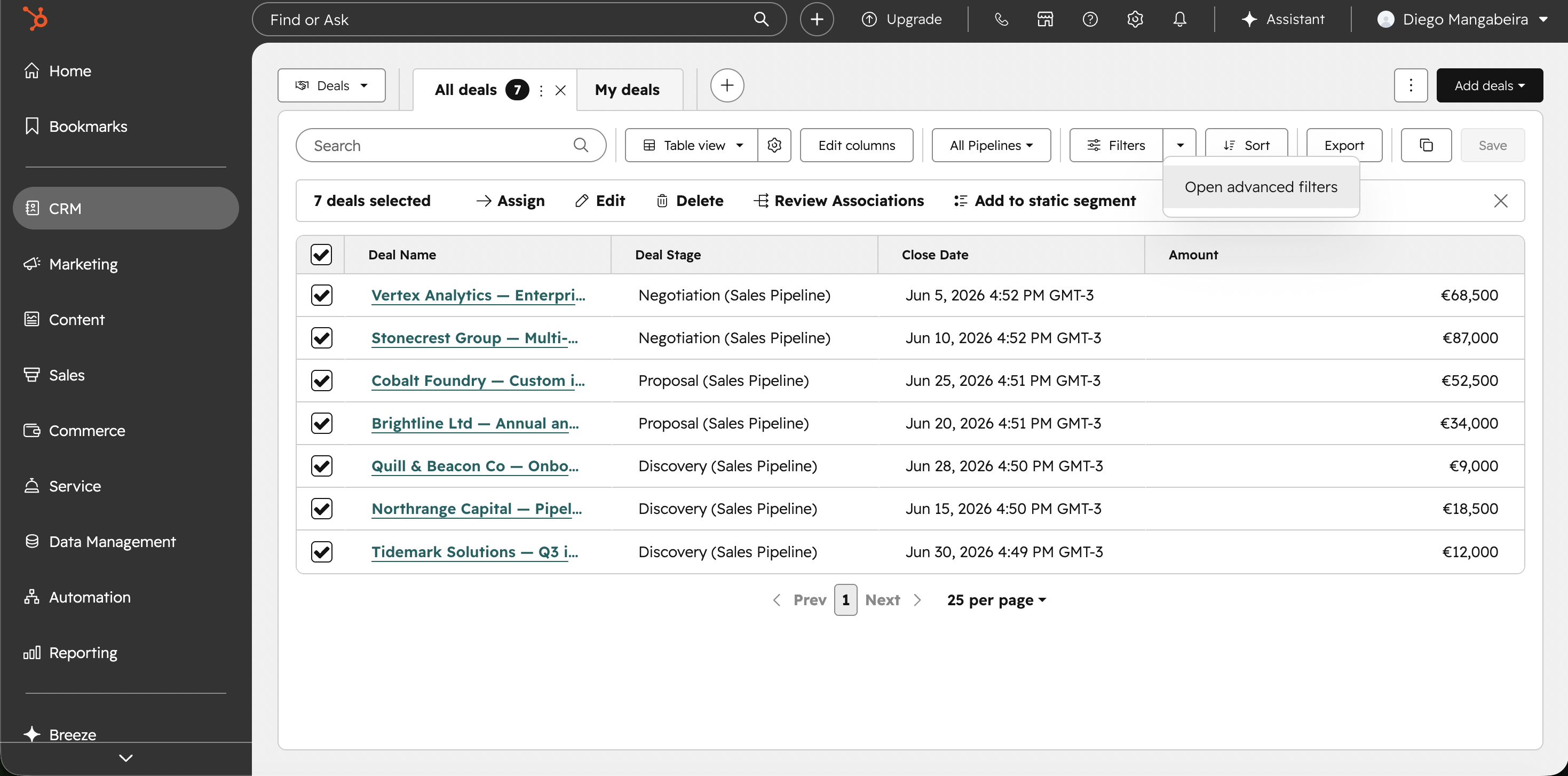
Add four filters:
Pipeline is your team’s main pipeline;
Close Date is in this quarter;
Deal Owner is me (or the owners you cover in pod mode);
Deal Stage is none of Closed Lost.
Save the view with a clear name, for example “Weekly Pipeline - Team Name,” and choose Private or Shared according to team convention.
2. Document a 5–6 line filter recipe
Write the exact filter recipe in plain language and paste it somewhere your team can find quickly: a Notion or Confluence page, a shared document, or the dashboard description. If the recipe is not findable, it does not exist.
3. Build the report inside the Reports tool, from the recipe
Go to Reporting then Reports, then Create report.
If Single object Deals is available on your account, apply the same filter recipe and choose the visualization that matches your goal: table for row-level detail, bar chart by stage for distribution, or funnel for drop-off.
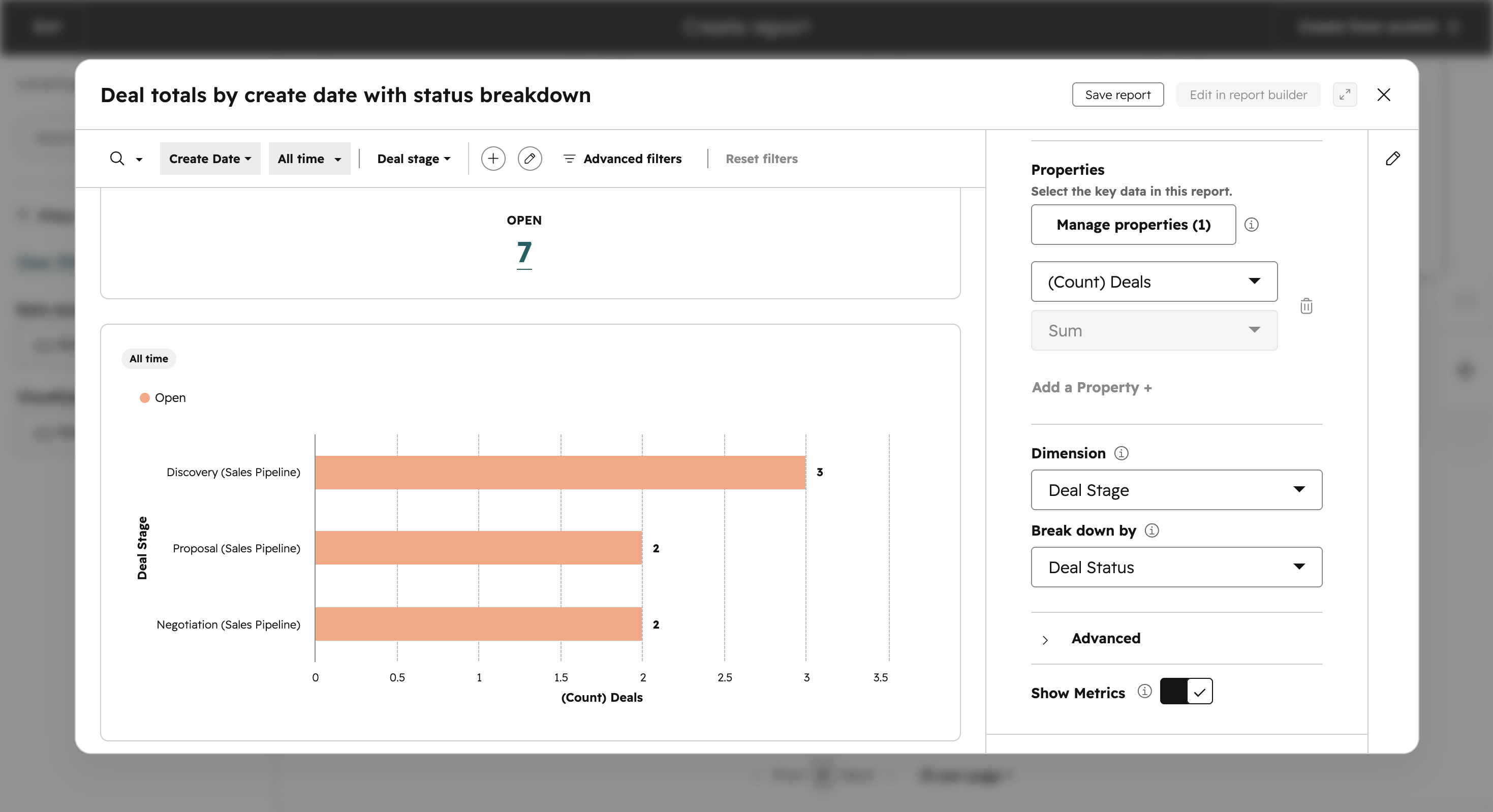
If report builder access is not available on your Free account, use the fallback path in step 5 and build from the saved Deals view export.
4. Pin the report to a dashboard
Go to Reporting then Dashboards, choose the target dashboard, and add the report. Keep one dashboard for weekly pipeline and one for hygiene KPIs.
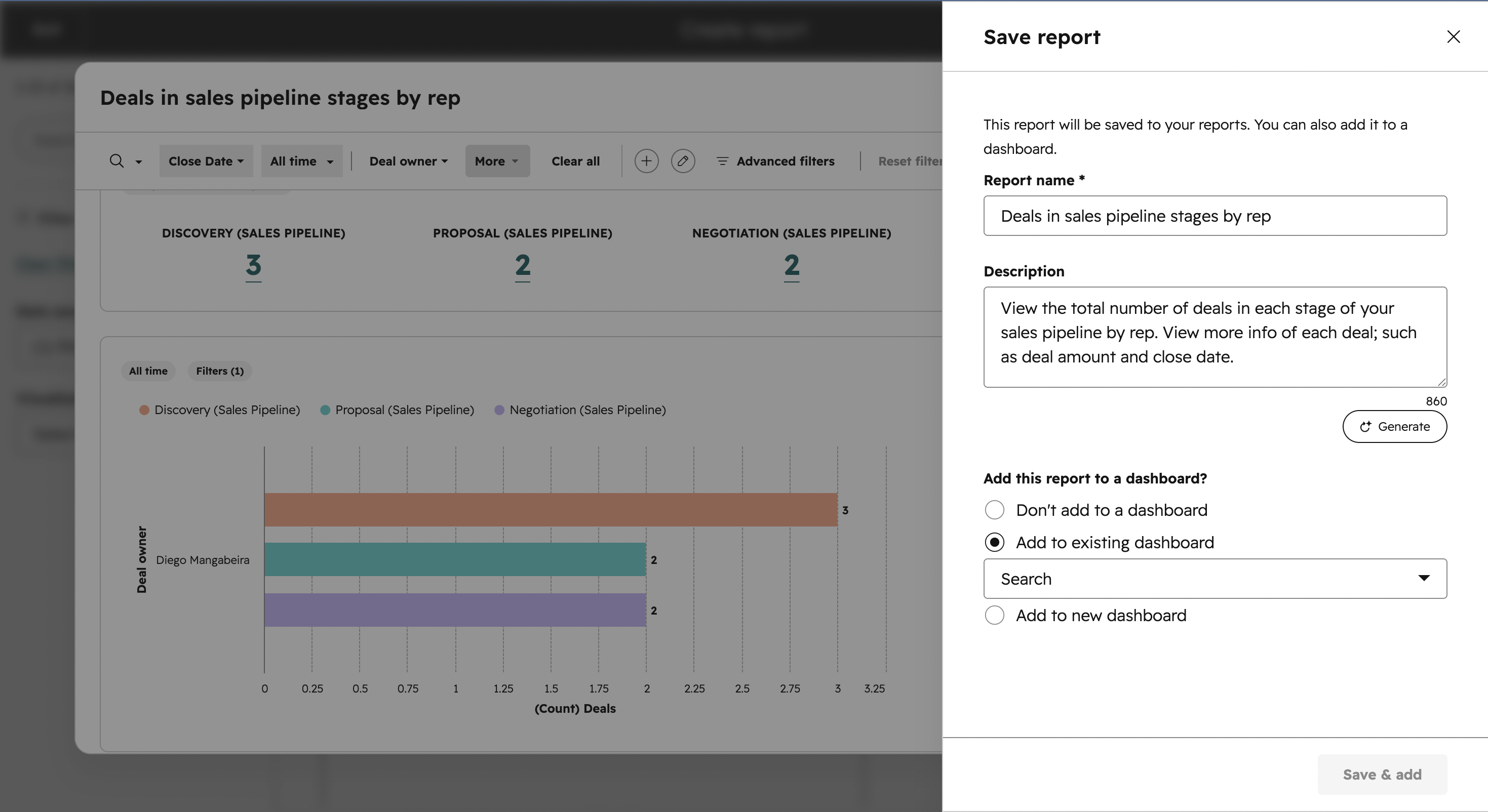
5. Export when distribution is needed
From the report (or from the saved Deals view in fallback mode), click Export and choose CSV, XLS, or XLSX. Exports are delivered by email and also in HubSpot notifications.
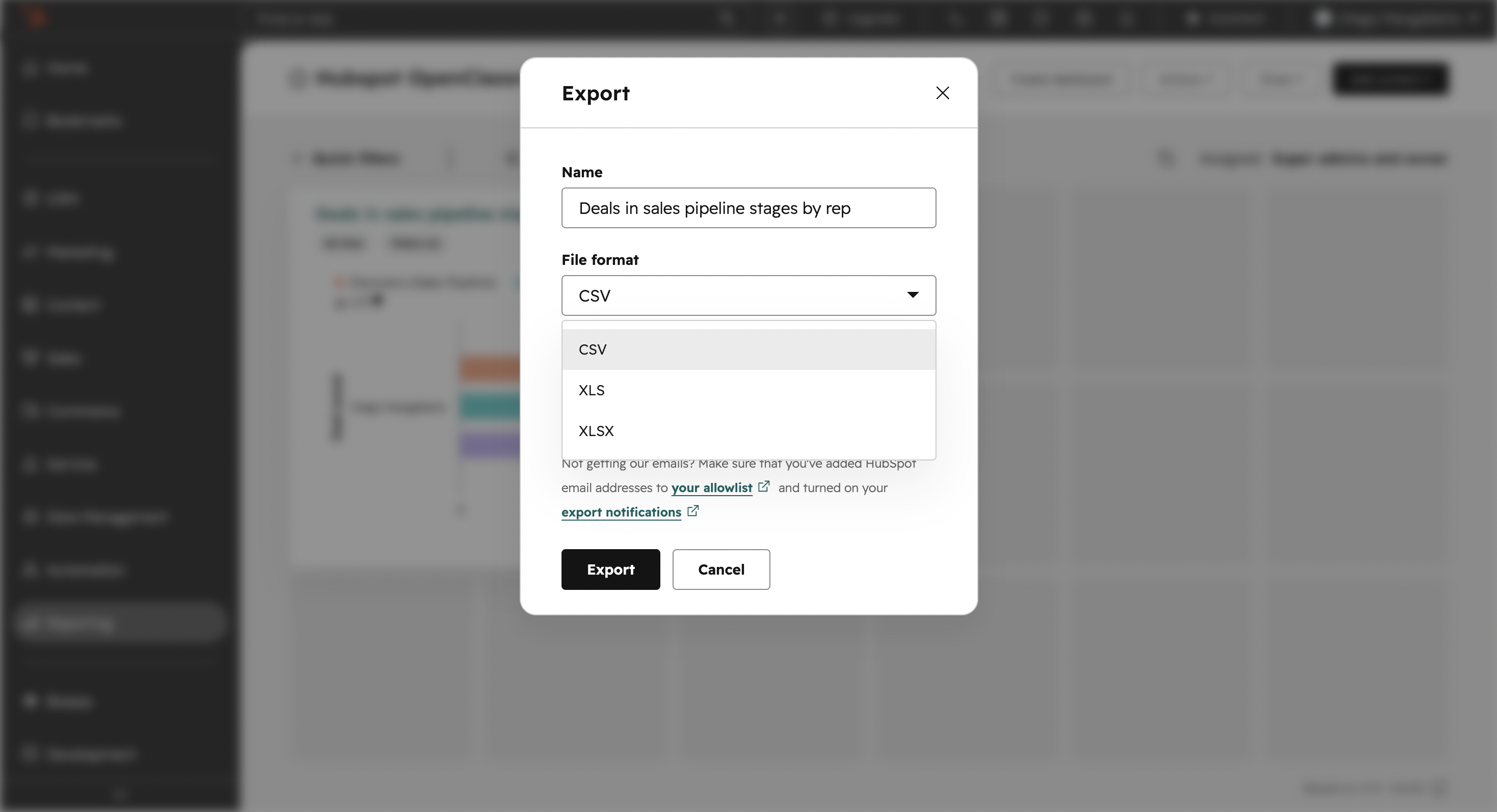
Map this to your team's report template.
The Weekly Pipeline Report template your team uses defines the columns and rollups your manager expects. Your filter recipe and report build should produce the same columns in the same order, so the export drops cleanly into the template with minimal manipulation.
Cross-CRM Equivalents
The four concepts above exist in every major CRM. The labels and menus differ; the workflow does not.
Concept | HubSpot Free | Salesforce | Pipedrive | Zoho CRM |
Where you maintain the pipeline | Deals | Opportunities | Deals | Deals |
Where you manage duplicates | Data Management → Data Quality → Manage Duplicates → Contacts | Duplicate Rules + Matching Rules | Tools and Apps → Merge Duplicates Also available per-record from the More icon → Merge (with appropriate permissions) | Setup → Data Administration → Deduplicate |
Where reports live | Reports + Dashboards | Reports + Dashboards | Insights | Reports + Analytics |
How you save a re-usable report | Document filter recipe + rebuild in Reports tool (Free); native saved reports on paid tiers | Custom report on a report type (saved) | Custom report from filter (saved) | Custom report from view (saved) |
How exports are delivered | Email + notification center (CSV/XLS/XLSX) | CSV (direct) or scheduled email | Direct download | Direct download or scheduled email |
Learn the workflow: standardize the source, document the recipe, build the report, pin it, export when needed. Menu names move; the workflow doesn't.
Case Study: Lina's first day at Pulse-Volt
Lina is the new SDR at Pulse-Volt, a mid-market industrial sales company selling to factories. Deal cycles run 3–9 months. The previous SDR left abruptly, and Lina inherits the CRM cold. Her first day on the job, her manager asks for the weekly pipeline report by 10am.
She opens the CRM and immediately sees trouble: deals with no owners, three "Closed Won" entries with no signed agreement attached, two deals sitting in Negotiation with no activity in 70+ days, and what looks like the same factory listed under two slightly different company names.
Step 1: Hygiene first
Lina runs the team's hygiene checklist. She:
merges the duplicate company (same company tax ID — VAT number, in Pulse-Volt's geography — under two spellings),
reassigns the orphan deals to herself temporarily so the report has owners,
demotes the three "Closed Won" deals back to Negotiation — no signed agreement is the evidence test failing,
demotes two stale Negotiation deals to Proposal — neither has had activity in over two months, neither has a quote in any tracked artifact.
Before she publishes, Lina flags the demotions to her manager: demoting Closed Won deals affects revenue credit and someone's commission, and that conversation belongs with management, not in a quiet CRM edit. Her manager confirms the corrections and tells the affected rep that the baseline is being honest-reset, not the rep being penalized. Hygiene fixes that touch credit are technical and political. Handle both.
Step 2: Build the report from a fresh recipe
Lina builds a saved Deals view filtered to Pulse-Volt's main pipeline and this quarter, names itWeekly Pipeline - Industrial (Lina), documents the filter recipe in 5 lines on the team wiki, then rebuilds the report inside the Reports tool, pins it to the team dashboard, and exports to the team's report template format.
Step 3: Read the report before sending it
Lina knows her manager will read it the way any manager reads a pipeline report, so she does the same first:
Total pipeline value: is it within the team's coverage target for the quarter?
Stage distribution: is value over-concentrated in late stages (forecast risk) or early stages (coverage risk)?
At-risk deals: which deals would change the picture if they slipped or were demoted further?
Week-over-week delta: what changed, and why? (For Lina this is week zero, so the delta is "vs. last reported," and the reasons are the demotions and the duplicate merge.)
Step 4: Lead with the delta.
The new pipeline number is €180k lower than the previous SDR's last report. Of that delta, roughly €110k comes from demoting the three falsely-Closed-Won deals — those weren't real revenue, they were optimistic data entry. Lina drafts a 4-line cover note for her manager: what the number is, what changed since last week, why, and what she'll watch this week. The cover note is the report; the spreadsheet is the evidence.
Her manager replies with one line: "Honest baseline. Let's work from this."
Your Turn!

You inherit a Pipedrive instance from Karim, an SDR who left an agency-services firm last week. The agency sells project-based engagements: deal value depends on scope estimation, and stages back-track frequently as scope is renegotiated. You're handed this snapshot:
Deal | Stage | Owner | Last activity | Amount | Notes |
Northwind Co. — Q3 brand refresh | Negotiation | (none) | 41 days ago | €34,000 | "Verbal yes" |
Northwind Co. (project lead) | — | Léa | 5 days ago | — | Duplicate: this person already exists in CRM under primary email j.lee@northwind.com on a contact owned by Nico. |
Helix Studios — site redesign | Proposal | Léa | 2 days ago | (blank) | Scope still being defined |
OakBranch Foundation — annual report | Discovery | (none) | 19 days ago | €8,500 | "They asked us to start" |
Pinecrest Ltd — pitch | Closed Won | Tom | 12 days ago | €11,000 | Statement of work signed |
List every hygiene defect you can identify and which rule it breaks.
State which defects would distort this week's pipeline report, and how.
Recommend a fix order (what you do first, second, third).
Let’s Recap!
Hygiene is a diagnostic, not a cleanup. Read the five rules as protective claims, and apply the evidence test to stage integrity in particular.
Reporting is a reproducible workflow, not a weekly improvisation. Standardize the source, document the recipe, build, pin, export. Default to building inside the CRM; export to a spreadsheet only when your tier or your team's tooling forces it.
Read the report before you send it — total value, stage distribution, at-risk deals, week-over-week delta — and lead with a cover note that explains the number.
Evidence, not optimism: your pipeline report is only as honest as your data, and only as useful as your interpretation of it.
You’ve reached the end of this course! Check your understanding with the short quiz that follows.
