Learn to Understand What Python Tells You
Discover Stack Traces
Most of the time, Python listens to you—for example, when you write code and it runs it. But did you know that Python also talks to you via stack traces? Let’s take a closer look at these now.
If you write something that the Python interpreter doesn’t understand (i.e., it’s grammatically incorrect or impossible—like importing a non-existent module), it will explode! 🤯
I’m joking, of course! Python will just stop or generate what’s known as an exception. We call this raising an exception. It occurs when an error interrupts a program’s normal flow. Exceptions are raised in stack traces, which are messages that often start with the line Traceback (most recent call last) :

In this example, the stack trace shows a NameError , one of the native exceptions in Python.
The stack traces often contain everything you need to locate the error and debug your code. But sometimes, the information only tells you the bug type, not how it manifests in the code. Therefore, the exception location may not correspond to the cause but to where it becomes a problem for Python. As you remove bugs, the stack trace will show you the next ones.
Reading stack traces might seem daunting (especially ones with many lines). 🤯 Here are some handy tips to make it easier:
Start at the Bottom of the Stack Trace
This part shows you the type of error—it’s often the same as the name of the exception. It also provides other information, such as the variable involved, and sometimes an explanation of how to resolve it.
Then Read the Top of the Stack Trace
This part shows the area of code containing the error. There’s even an arrow to reveal the exact line (isn’t that helpful? 😊).
This part can sometimes be very long, as it indicates code elements that refer to modules, classes, or functions used explicitly (i.e., used directly by you) or implicitly (used within a class or function you’re using) within the program.
The only part you should focus on here is your code, as you can’t change the code of modules you didn’t create. However, the better you get at reading a whole stack trace, the more you’ll improve your programming skills.
Identify Python Exceptions
In the screencast below, I’ll show you what the most common exceptions in Python look like in the code. You’ll see an example of the following errors:
AttributeError , KeyError , IndexError , NameError , and SyntaxError . 👇
To summarize, these are the errors you just saw:
AttributeError: Each type of Python variable is a different type of object. You can access an attribute of an object by writingobject.attributeand the method by writingobject.method(). If you try to access a method or attribute that doesn’t belong to the object class, you get this error.KeyError: This error occurs if you try to use a key that doesn’t exist in a dictionary object.IndexError: This means you’ve searched for the position of an object that doesn’t exist, such as position 4 in a list that only has 3 positions.NameError: This error occurs when you refer to a variable that doesn’t exist yet, or may not exist at all.SyntaxError: This error occurs when your Python code is grammatically incorrect.
Now let’s examine TypeError , ValueError , FileNotFoundError , and ModuleNotFoundError :
Here’s a summary of the errors you saw in the screencast:
TypeError: There are many possible causes, all to do with the type of variable used. For example, you might be trying to perform an unauthorized type of conversion.ValueError: There are many possible causes, but it indicates a problem with values, even if the type is correct. For example, you might see this error if you try to convert a string containing something other than numeric digits intoint.FileNotFoundError: The referenced file doesn’t exist, or the file path is broken.ModuleNotFoundError: The referenced module is unknown. It needs to be installed on your system or created.
In the following chapters, you’ll learn to debug these exceptions.
Use Print for Debugging
You can use the built-in print() function for debugging when there’s no error message.
I’m sure you agree that stack traces are very useful. However, sometimes your program might contain an error without raising an exception.
What? An error without an error message? 🤨 I thought we’d just covered all possible error types in Python!
Unfortunately, Python can’t read your mind, meaning that when you make a logic error that follows the language’s syntax, it can’t tell you. Look at the example below:
i = 0
while i < -10:
    print(i)
    i -= 1
The aim here is to print figures starting from -1 and ending with -10, but there’s an error, as it doesn’t output the intended result. 🧐
It’s now up to you to play the role of stack trace! But how? Using the print() function! For example, you can put a print() in front of the loop to check that the condition is respected:
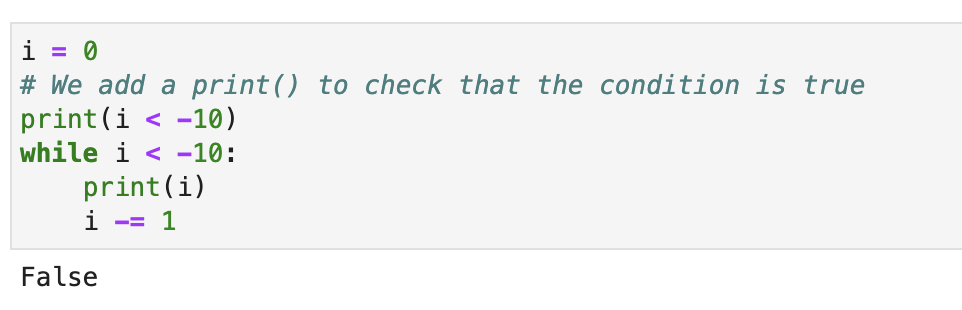
The result of the condition is false, which explains why the program doesn’t enter the loop as it would if the condition were true. In this case, you must change the comparison to i > -10 . This gives you 0, which is greater than -10, so it’s true.
At this stage, the program will work, but the numbers it returns go from 0 to -9 rather than -1 to -10. Let’s add another print() to see how the variable i changes before and after modifying its value.
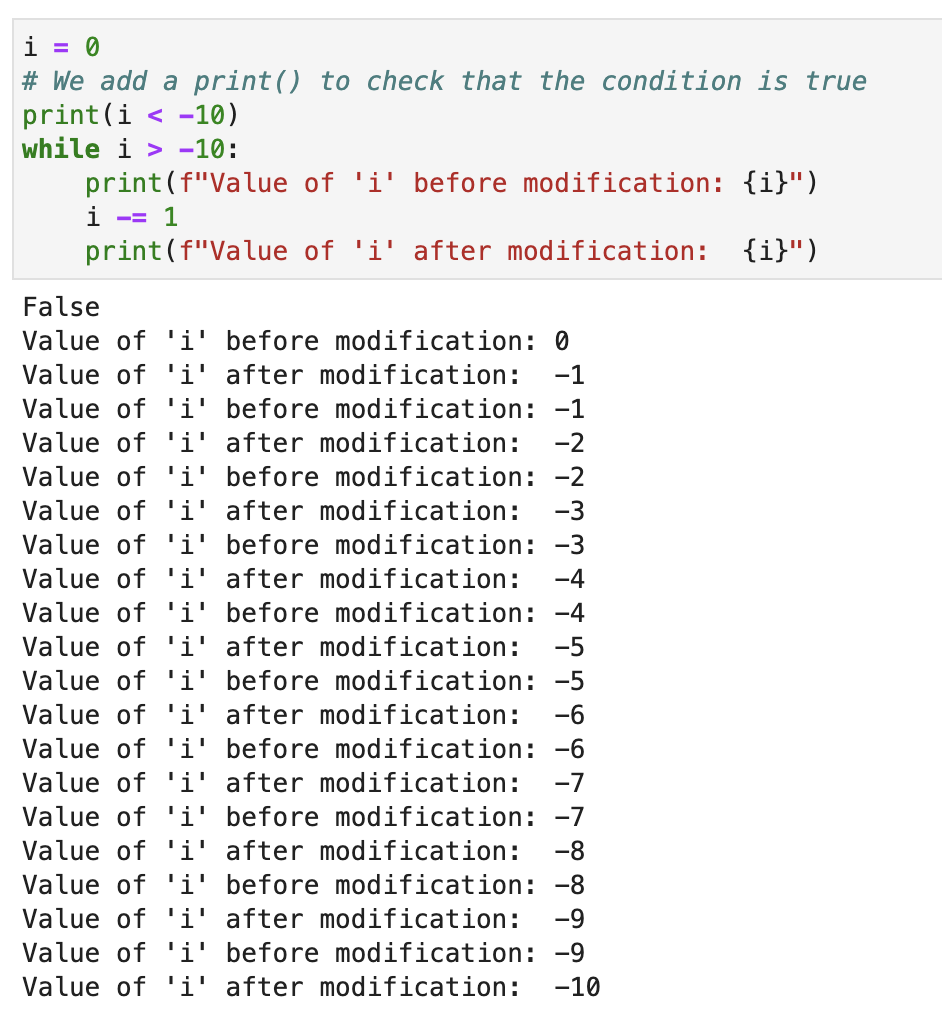
When you look at the successive values of i , you can see that you must put the print() after the modification of the variable i to get values from -1 to -10. The program will then look like this:
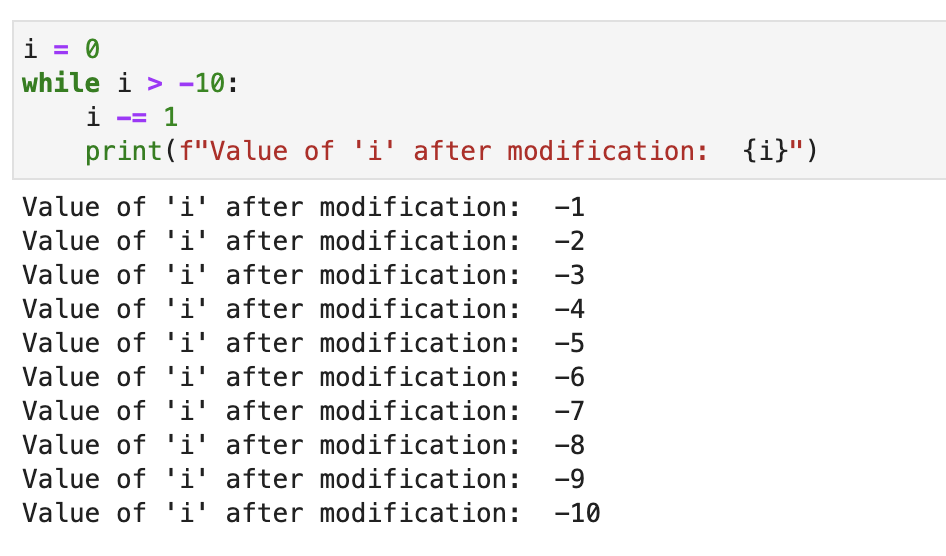
As you’ve just seen, the print() function can be a very effective debugger, allowing you to see how variables change throughout a program.
Use the Help Function
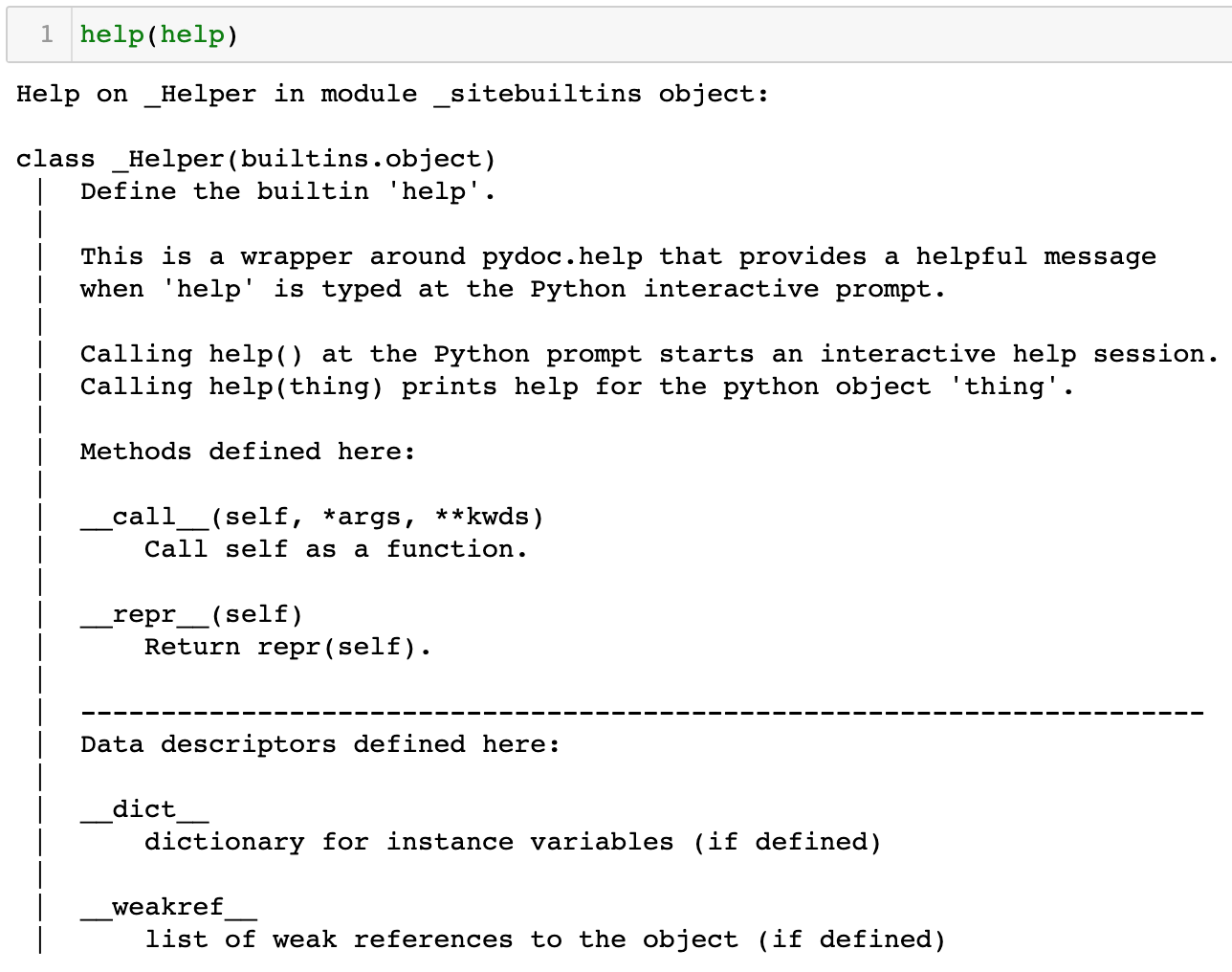
There’s also another built-in Python function you can use for debugging— help() . As its name suggests, this function enables you to obtain information on a language element, whether a class, an object, a function, or a variable. More specifically, it displays the content of the class or function docstrings.
Docstrings? What are they again?
Well, since you asked so nicely… 😉 Docstrings are strings that occur at the beginning of a function or class definition. They’re written between triple quotes (single or double), as shown in the examples below. They describe a function or a class in varying levels of detail for future users. Almost all the functions you use contain docstrings. They are often content summaries of the official documentation of the element you’re using:
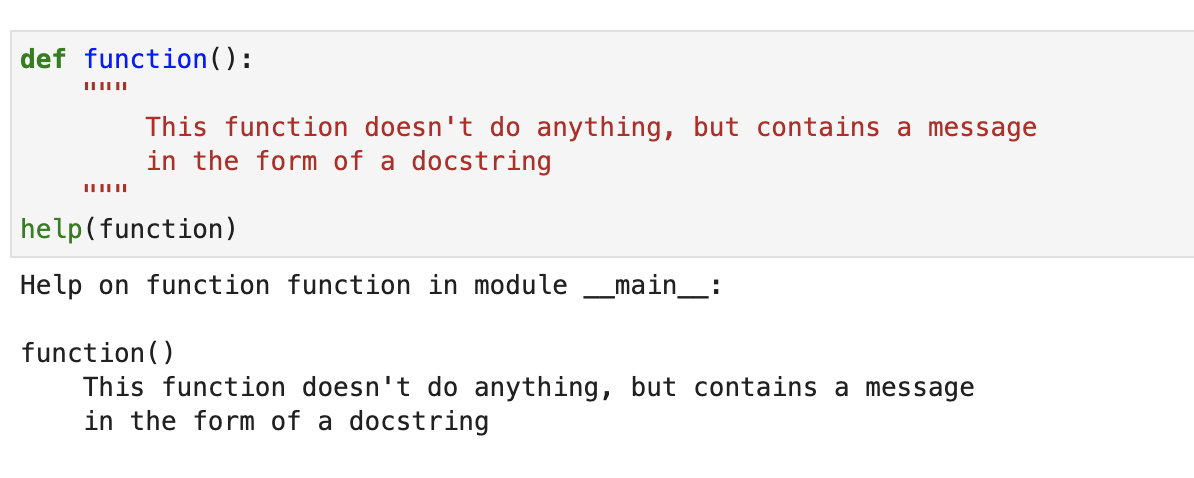
You can even pass functions such as print() , type() , and help() itself as parameters of the help() function, as shown below:
Over to You!

It’s time to put all of this into practice in the tkinter project in the GitHub repository. When you run the file main.py, you’ll encounter some exceptions, which you can see below.
Try to find the source of these exceptions, and then watch the video to see what could have caused them.
Example 1
Traceback (most recent call last):
File "/Library/Frameworks/Python.framework/Versions/3.9/lib/python3.9/tkinter/__init__.py", line 297, in _get_default_root
    raise RuntimeError(f"Too early to {what}: no default root window")
RuntimeError: Too early to create image: no default root window
Example 2
Traceback (most recent call last):
File "/main.py", line 81, in <module>
    text1 = Label(window, text="You", font=("Arial", "20", "bold"))
NameError: name 'Label' is not defined
Example 3
Traceback (most recent call last):
 File "/main.py", line 106, in <module>
    zero = PhotoImage(file ='zero.jpg')
File "/Library/Frameworks/Python.framework/Versions/3.9/lib/python3.9/tkinter/__init__.py", line 4064, in __init__
    Image.__init__(self, 'photo', name, cnf, master, **kw)
File "/Library/Frameworks/Python.framework/Versions/3.9/lib/python3.9/tkinter/__init__.py", line 4009, in __init__
    self.tk.call(('image', 'create', imgtype, name,) + options)
_tkinter.TclError: couldn't recognize data in image file "zero.jpg"
Let’s explore the exceptions raised by our rock-paper-scissors project in the following screencast. 🤖
As you saw, we went through the exceptions raised by the program and explained their potential causes:
You must create the tkinter window before adding images with the
PhotoImagefunction.To be added, these images must be in the formats stipulated in the documentation.
The error linked to the
Labelclass is because it hasn’t been imported.
You can see the code for the tkinter project in the GitHub repository.
Let’s Recap!
A stack trace is a message Python shows to give you information about a raised exception.
An exception is an error in a program that stops it from running, and in Python, several exceptions are native to the language.
You can use the
print()function for debugging to monitor the behavior of variables in a program.The
help()function provides information about a class, an object, or a function. This information is described in docstrings.
Now that you've mastered stack traces, print, and the help function, you will learn how to use two modules for debugging! See you in the next chapter!