Review the Test Plan

Discover the Test Plan
Why do I need a test plan? Can’t I just browse the site like a normal user to see if everything works?
You could browse the site as if you were a regular user, but you’d have no guarantee that you covered all requirements. That’s why the test plan is so important: it lets you create one or more test cases for each requirement and ensures that every feature will be tested.
A test plan is specific to each project, and even for the same project, it will evolve as the project progresses.
What does a test plan look like?
Here’s the one we use in the Course to test the Jardin Actuel website:
When you receive a test plan, take the time to do the following:
Read it carefully to ensure you understand the steps and know exactly what to do.
Confirm everything is clear. The person who writes the test plan isn’t always the person who executes the tests. Don’t hesitate to ask questions about anything unclear.
Review expected results. The test plan should describe them. Make sure you know what to look for and how to verify it.
Identify what tests need to be run so you know how deep to go. For example, are they simple Front-End/HMI tests, or boundary-case tests with specific data sets or configurations?
Estimate how long testing will take. This gives you a sense of workload—whether you’ll need two days or five to complete the test plan.
By following these steps, you’ll be able to approach a test plan effectively and set yourself up for success as a new tester.
Read the Test Scenarios
Scenario, test case… what’s the difference?
Great question! In software testing, test cases are the basic elements used to validate specific requirements. Test scenarios, on the other hand, are designed to test end-to-end user flows through the system.
A test scenario is a sequence of test cases that describes a complete flow to verify the system behaves correctly.
Test scenarios come from a test campaign, which itself follows a test strategy. You’ll learn more about this later in the Course. 😉
We can represent this as a pyramid:
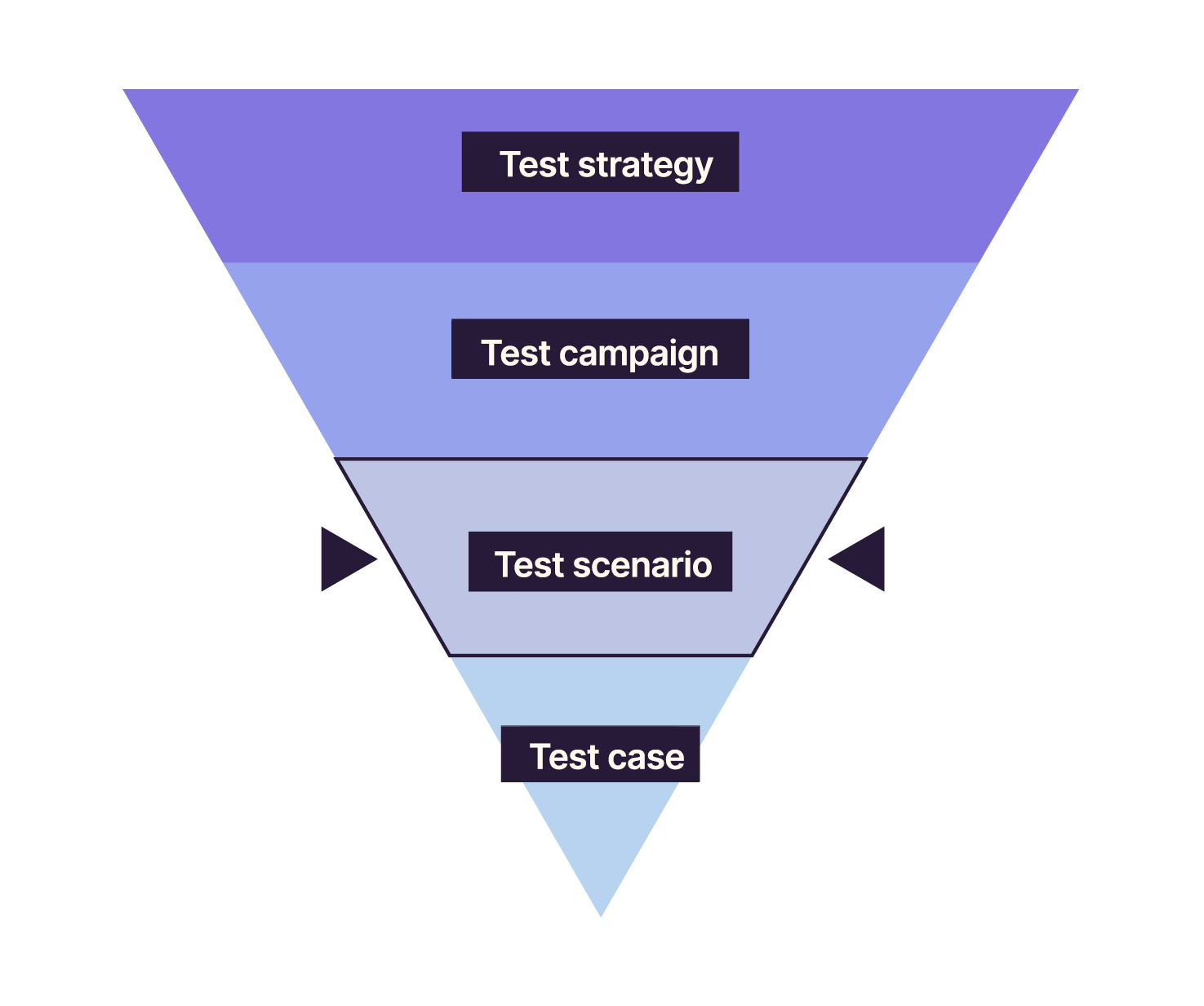
Now let’s look more closely at test scenarios.
Think of a test scenario as an action plan that ensures the software behaves correctly and meets specifications. It’s like a tourist itinerary: it outlines the steps needed to explore all key points of interest. In the same way, a test scenario guides you through every step required to complete a task.
For example, to test an online payment feature, a scenario might include:
Enter valid payment details.
Click the “Pay” button.
Verify that the payment confirmation appears (expected result).
Following test scenarios helps ensure the software performs as expected and complies with specifications.
Analyze the Test Plan
Analyzing the test plan is a crucial step. It helps you confirm your understanding of the specifications and determine exactly what needs to be tested.
Here are a few tips:
Check prerequisites: make sure you have everything needed to run the tests—software, hardware, configurations, etc.
Identify inconsistencies with specifications. If something doesn’t match, report it to the person who wrote the test plan. This helps resolve issues faster and improves software and documentation quality.
Evaluate risks: think about what could prevent successful execution. Potential risks include:
too many tests for the time available,
an incomplete data set,
requiring a specific browser version.
Analyzing the test plan allows you to anticipate and prevent issues during execution.
Over to You!

The test plan is an essential tool in software testing. You’ll find two test plans for Jardin Actuel in the next “Over to You!” sections:
Review these two test plans and note what you consider the most important elements.
Summary
A test plan is a document that lists test scenarios.
Test scenarios are sequences of detailed steps used to verify that software behaves as expected.
It’s essential to read and analyze the test plan before executing tests.
Now that you’re familiar with the test plan, let’s move on to the execution phase. First step: prepare the test environment.
