Get some practice building your first page with HTML and CSS
It's your turn!
In this activity, you'll create an HTML document listing your favorite books, foods, songs, and movies. You'll also add CSS to change the styles of the page, using colors, fonts, and effects of your choice!
This activity can be done with either:
using a set of files on your computer: a project folder that contains 1) an index.html file, and 2) a folder called css that contains a file called style.css
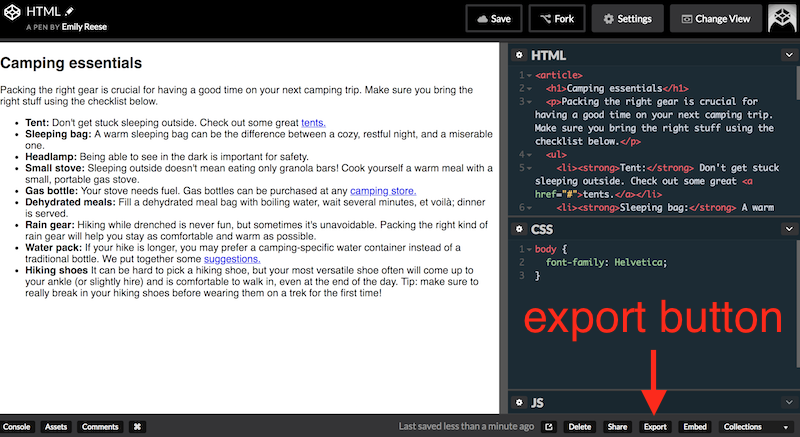
or on CodePen, but you must download the files from CodePen itself to submit them. Download your work from a particular CodePen as HTML and CSS files by clicking "Export" at the bottom right of their screen.
Code requirements
Your HTML should have a document <head> with a page title, language, and specified character set, and a document <body> that contains:
An
<h1>A heading to introduce each list
4 unordered or ordered lists containing 5 list items each
At least 5 links within a list (you could link to each movie on IMDB, each book on Goodreads, or to each song on Spotify, for example)
Your CSS should have:
A custom
background-coloron the body element (to change the background color of the page)At least 2 custom
colorproperties (to change the colors of text)A specified
font-family, either for the whole page or per elementEither one
font-sizeproperty OR onetext-transformpropertyA
text-decorationproperty on your link elements
All code should be properly indented, readable, and well-organized.
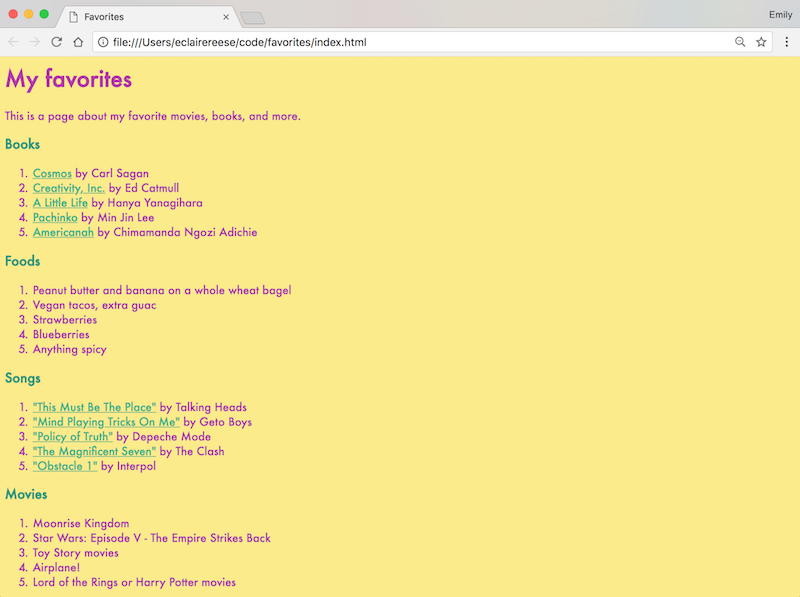
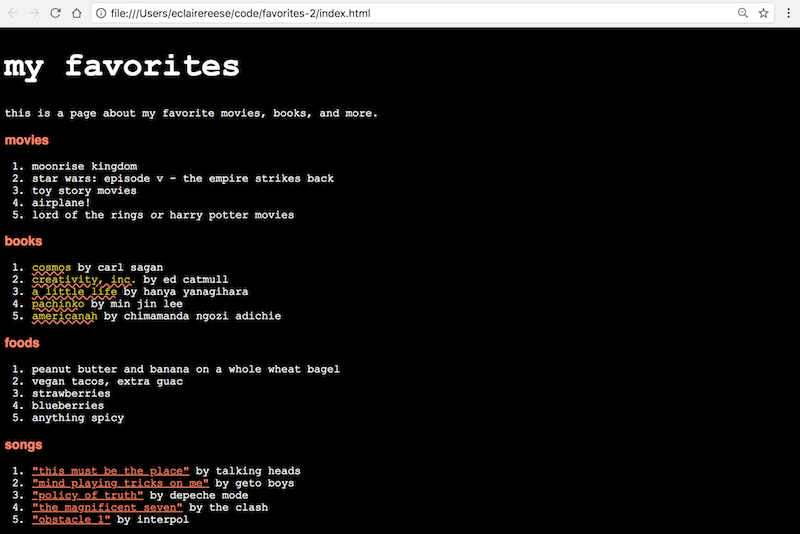
Here are two examples. The content (HTML) is the same in both but has different CSS effects applied. Adapt your styles according to what you like, while also aiming for a well-designed result!
Example A
Example B
Check your work!
Check the HTML file/CodePen for:
A document
<head>with a page title, language, and specified character setA document
<body>that contains:An
<h1>A heading to introduce each list;
4 unordered or ordered lists containing 5 list items each;
At least 5 links somewhere (like a link to each movie on IMDB, each book on Goodreads, or to each song on Spotify, for example).
Check the CSS file /CodePen for:
A custom
background-coloron the body element (to change the background color of the page);At least 2 custom
colorproperties (to change the colors of text);A specified
font-family, either for the whole page or per element;Either one
font-sizeproperty OR onetext-transformproperty;A
text-decorationproperty on link elements.